
Download Tickershock – Mac RSS Ticker, Free, Secure, Easy‑to‑Use
Overview
Tickershock is a lightweight, trial‑version RSS‑ticker application designed exclusively for macOS. Launched in 2006 and still popular among niche news‑hounds, the tool transforms any RSS feed into a continuously scrolling ticker that can be placed on your desktop, in a menu bar, or embedded into a website. The program belongs to the Internet software category, subcategory News → RSS, and it prides itself on a minimal storage footprint compared with bulkier news aggregators. Although the current version (1.3) was last updated on January 16 2006, the software remains fully functional on Mac OS X and earlier versions, offering a no‑frills, secure way to keep up with headlines without the bloat of modern news apps.
Since its addition to the catalog in 2006, Tickershock has been downloaded 892 times, a testament to its reliability among long‑time Mac users who need a simple scrolling news bar. The trial version is free to download and test; a full license can be purchased directly from the developer’s website. Tickershock supports any standard RSS 2.0 or Atom feed, allowing you to pull content from blogs, news sites, podcasts, or custom feeds. The app’s intuitive interface makes it easy to add, edit, or remove feeds, set scrolling speed, and customize the font and colors to match your desktop theme.
In an era where most RSS readers are cloud‑based and require constant internet connections, Tickershock stands out by operating locally on your Mac, ensuring that your feed data never leaves your machine. This local‑only approach enhances privacy and security, making it an ideal choice for users who are wary of third‑party data collection. Whether you are a journalist monitoring breaking news, a developer tracking industry blogs, or simply a hobbyist who loves to see headlines scroll across the screen, Tickershock provides a sleek, unobtrusive solution.
Key Features
- Continuous scrolling ticker for any RSS or Atom feed.
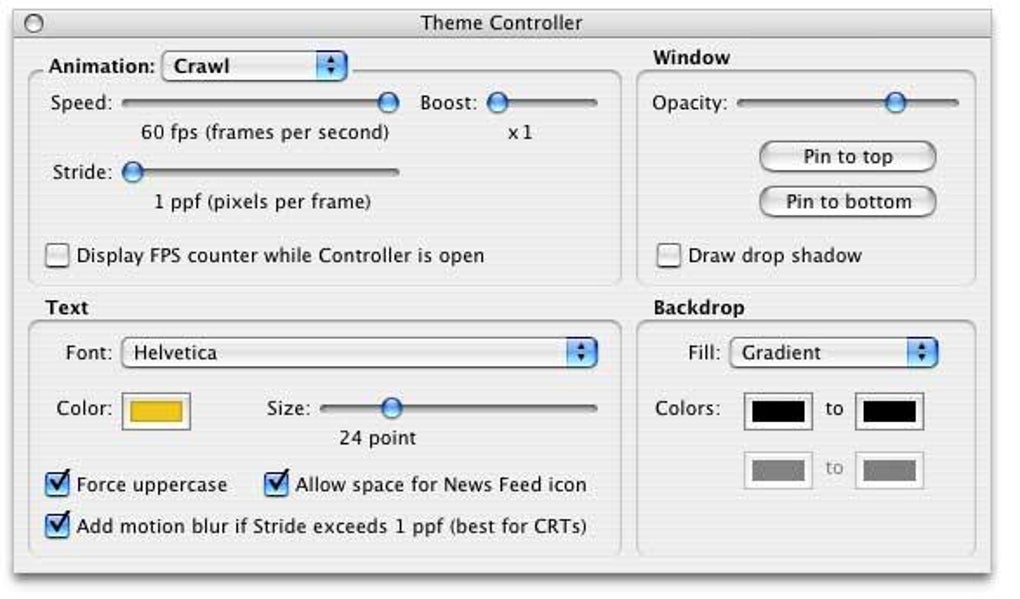
- Customizable speed, font, size, and color scheme.
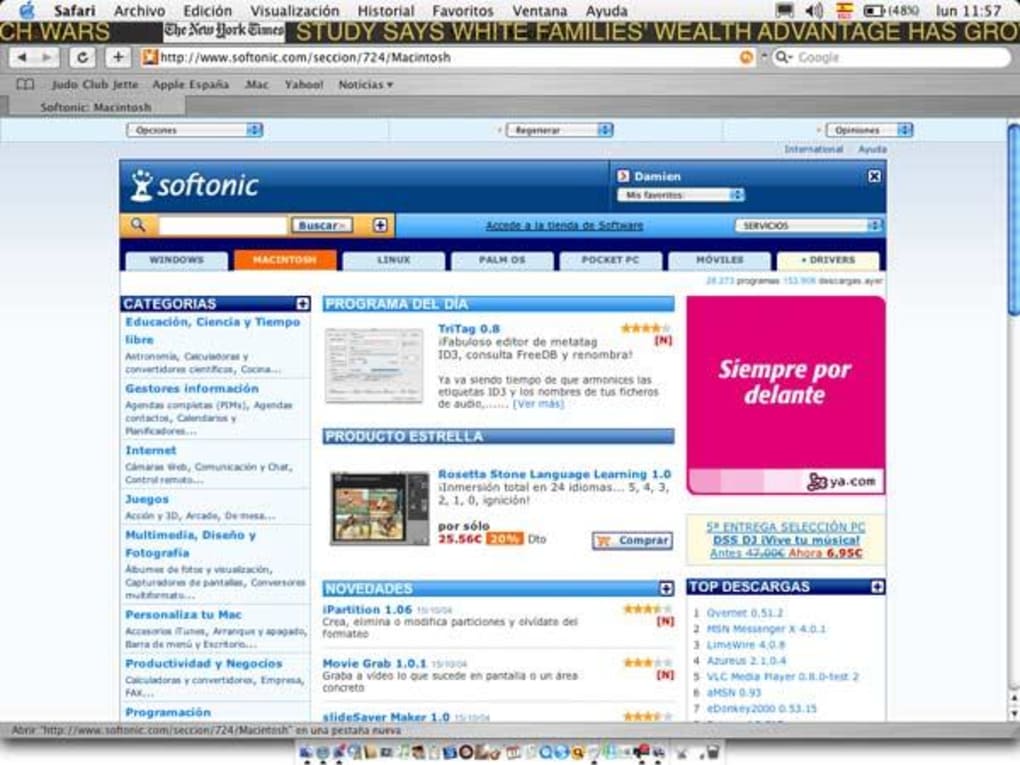
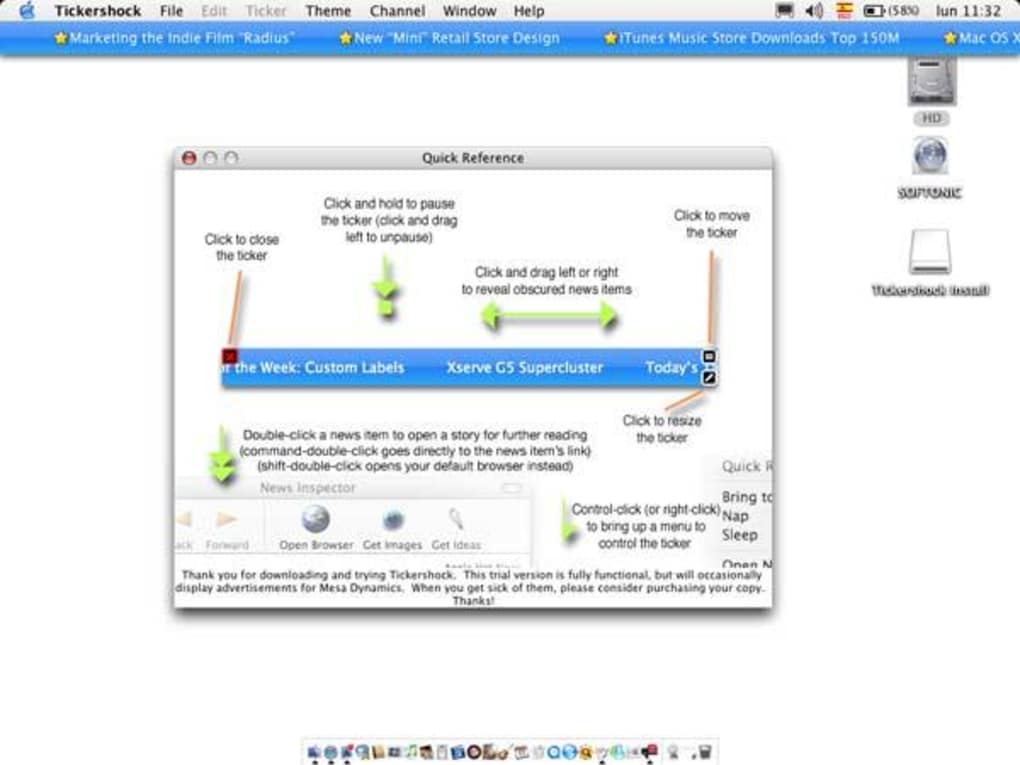
- Desktop‑integrated or menu‑bar display options.
- Low‑memory footprint – uses far less storage than typical news apps.
- Offline operation – feeds are cached locally for privacy.
- Supports multiple feeds simultaneously with individual styling.
- Simple drag‑and‑drop feed import.
- Free trial version with optional paid license for unlimited feeds.
- Automatic update check (though last official update was in 2006).
- English‑only interface, optimized for Mac OS X and earlier versions.
Each feature is built with the Mac user in mind, ensuring that the application integrates seamlessly with the native look and feel of macOS. The scrolling ticker can be resized to fit any screen resolution, from a tiny 13‑inch MacBook Air to a massive 27‑inch iMac Retina display. Users can also set the ticker to pause when the mouse hovers over it, providing a quick way to read longer headlines without losing the flow of information. The app’s minimalistic design eliminates unnecessary clutter, allowing you to focus on the content that matters most.
While the software does not include advanced analytics or social sharing options, its core purpose – delivering a clean, constantly updating news ribbon – is executed flawlessly. For users who need a straightforward way to keep track of their favorite blogs, podcasts, or news outlets without the distraction of pop‑ups or advertisements, Tickershock offers an elegant solution that runs quietly in the background.
Installation & Usage Instructions
Getting started with Tickershock is a breeze. Follow these steps to download, install, and configure the app on your Mac:
Step 1 – Download the Installer
Visit the official Tickershock website and click the “Download Free Trial” button. The installer file (Tickershock‑v1.3.dmg) will be saved to your Downloads folder. Because the software is free to try, there is no need to provide credit‑card information at this stage.
Step 2 – Install the Application
- Double‑click the .dmg file to mount the disk image.
- Drag the Tickershock icon into your Applications folder.
- Eject the disk image after the copy completes.
The installation process requires no additional dependencies, making it a truly “plug‑and‑play” experience for macOS users.
Step 3 – Launch and Grant Permissions
Open the Applications folder and double‑click Tickershock. The first time you run the app, macOS may warn you that the software is from an unidentified developer. Click “Open” in the security dialog to proceed. Because Tickershock operates locally, it does not require internet access unless you add online feeds.
Step 4 – Add Your RSS Feeds
In the main window, click the “+” button to add a new feed. Paste the URL of any RSS or Atom feed (e.g., https://example.com/feed.xml) and press “Enter.” You can repeat this process to add as many feeds as you like. Each feed appears as a separate line in the ticker, allowing you to assign distinct colors or fonts if desired.
Step 5 – Customize the Ticker
Use the Settings panel to adjust scrolling speed, font size, and background color. For a minimalist look, select a transparent background so the ticker blends with your desktop wallpaper. Enable the “Pause on Hover” option if you want to read longer headlines without missing subsequent items.
Step 6 – Save and Run
Once you’re satisfied with the configuration, click “Save.” The ticker will appear on your desktop or menu bar, depending on your chosen display mode. You can reposition it by dragging the ticker window to a new location.
Overall, the installation and usage workflow takes less than five minutes, even for users who are new to RSS technology. The simplicity of Tickershock makes it an attractive choice for anyone who wants a reliable news ticker without the overhead of complex setup procedures.
Compatibility, Pros & Cons
Operating System Compatibility
Tickershock is built for macOS, supporting Mac OS X 10.2 (Jaguar) through the latest macOS releases that retain 32‑bit compatibility. While the software was originally released for older versions of OS X, it runs smoothly on modern Intel‑based Macs and Apple Silicon devices via Rosetta 2 translation, ensuring that even users with the newest hardware can enjoy the classic ticker experience.
Pros
- Extremely lightweight – uses minimal CPU and RAM.
- Local‑only operation enhances privacy and security.
- Simple, intuitive interface with drag‑and‑drop feed addition.
- Highly customizable ticker appearance.
- Free trial available for testing before purchase.
- No ads or telemetry, providing an uninterrupted reading experience.
Cons
- Last official update was in 2006, so no modern UI refinements.
- English‑only interface limits non‑English speakers.
- Limited to macOS – no Windows, Android, or iOS versions.
- Trial version restricts the number of simultaneous feeds.
- No built‑in cloud sync or backup for feed lists.
Frequently Asked Questions
Is Tickershock completely free?
Tickershock offers a free trial that lets you test all core features with a limited number of feeds. To unlock unlimited feeds and receive official support, you need to purchase a license, which is a one‑time fee.
Can I run Tickershock on the latest macOS (Apple Silicon)?
Yes. Although Tickershock was originally compiled for Intel Macs, it runs under Rosetta 2 on Apple Silicon devices. Users have reported smooth performance on M1 and M2 Macs.
Does Tickershock store my RSS feed data online?
No. All feed data is cached locally on your Mac, which means your browsing habits remain private and are not transmitted to any external servers.
How many feeds can I add in the trial version?
The trial version allows up to three simultaneous feeds. Purchasing a full license removes this limitation, letting you monitor as many sources as you need.
Will Tickershock interfere with other RSS readers?
No. Tickershock operates independently and does not modify system‑wide RSS settings. You can run it alongside other readers without any conflicts.
Conclusion & Call‑to‑Action
Tickershock remains a niche yet powerful tool for Mac users who value a clean, scrolling news ticker without the distractions of modern, cloud‑centric RSS apps. Its lightweight design, local‑only operation, and high degree of customization make it a solid choice for journalists, developers, and hobbyists alike. While the lack of recent updates and the English‑only interface may deter some, the core functionality is still relevant for anyone who wants a simple way to keep headlines in view while working or browsing.
If you’re looking for a free, secure way to monitor multiple RSS feeds on macOS, give the trial version a download today. Should you need unlimited feeds or prefer a fully unlocked experience, purchasing the license is straightforward and cost‑effective. Experience the convenience of a constantly scrolling ticker—install Tickershock now and let your favorite news flow across your desktop.
Pros: Lightweight, privacy‑focused, highly customizable.
Cons: No recent UI updates, limited to macOS, trial feed limit.







